A fresh coat of glass.
The version 3.0 redesign brought your category colors into Apple’s Liquid Glass on iOS 26.
A look at the version 3.0 release. See current release notes on the App Store →
Free to download. No account required. Optional Smart Tasks+.
See the difference.
Compare the iOS 26 design with the earlier look.
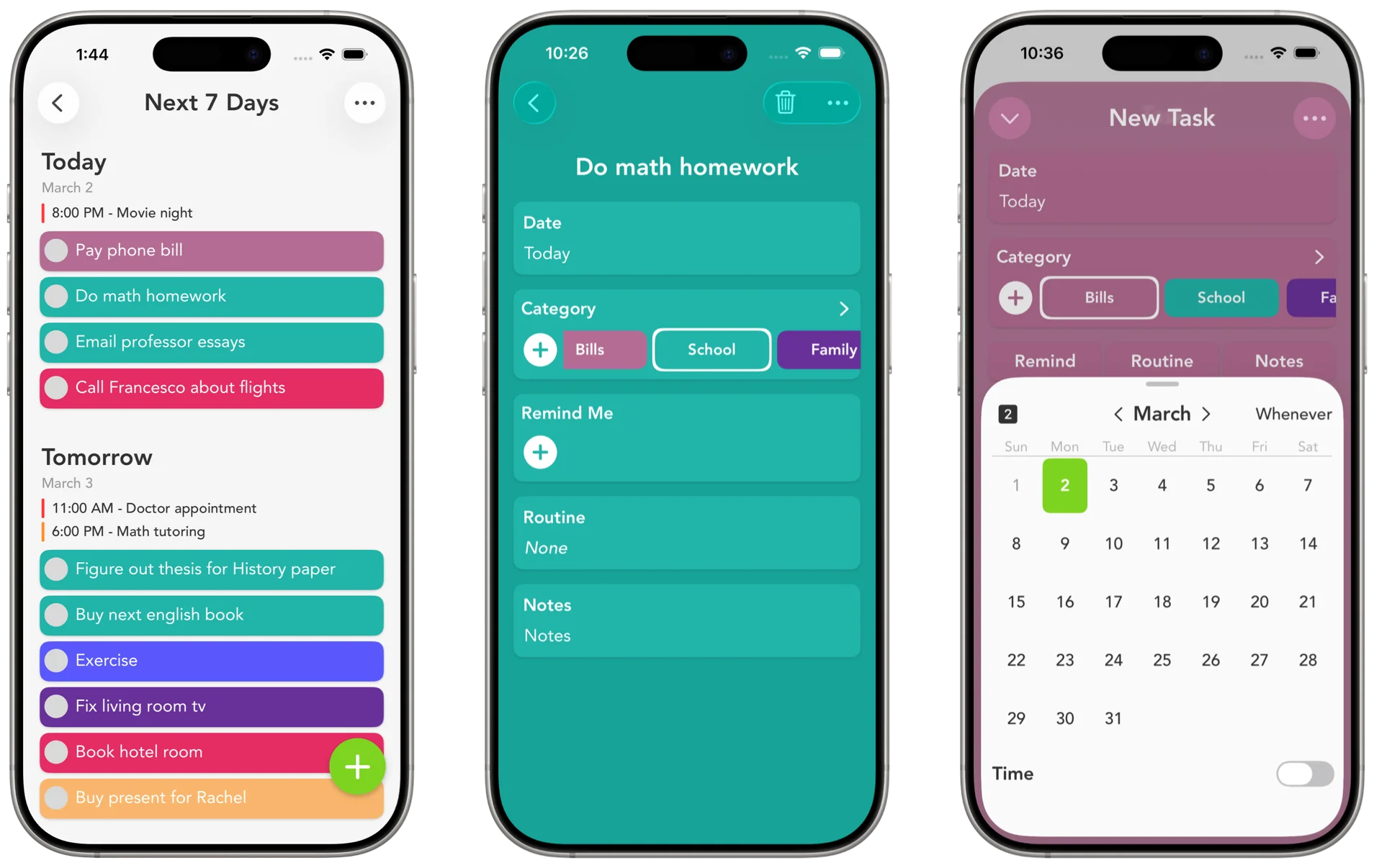
Built for iOS 26, through and through.
Transparent navigation bars, updated widgets, and cleaner context menus bring your category colors into iOS 26.
Liquid Glass Redesign
Glass surfaces take on the colors of your categories.
Transparent Navigation Bars
Navigation bars fade into your content instead of sitting on top of it, so your tasks get the whole screen.
Modern Context Menus
Menus open right where you tap, do their job, and get out of the way.
Glassy Widgets
Translucent widgets that sit naturally on an iOS 26 home screen, with your tasks showing through.

Stay in your flow.
Inline pop-ups on iPad and Mac let you edit calendar events, reminders, routines, and more without leaving the screen you're on.
Inline editing for Calendar, Reminders, Routines, and more on iPad and Mac
The keyboard comes right back after you close a pop-up, so you never lose your train of thought
On iOS 26, confirmation pop-ups anchor to the button you tapped

Do more with a tap.
Quick actions got a cleanup: fresh icons, smarter context, and a faster way to make custom category colors.
Create custom category colors directly from quick actions
Refined design when tapping a day or adding from Events
Actions display the selected date for added clarity
Freshly designed icons across select actions

Refined down to every detail.
Smaller fixes across the whole app, from full keyboard shortcuts on iPad to steadier Reminders sync and quicker animations.
Keyboard Shortcuts
Run the whole app from a keyboard on iPad, from adding tasks to hopping between days.
Reminders Sync
Changes to imported tasks and categories flow back to the Reminders app, so nothing drifts apart.
Smoother Animations
Animations across the app are quicker and steadier, especially when you're moving fast.
Smarter Routines
Routine setup asks less of you. Calendars close on their own, and past dates default to today.
Smarter Reminders
You can't accidentally set a reminder for a time that already passed.
Confirmation Pop-Ups
A quick confirmation now guards your routines and settings against stray taps.
Version 3.0 required iOS 16 or later. Check the App Store for current device requirements.
Quick action icons fill with color when a task is assigned to Today or Whenever
See it on your own screen.
Download Smart Tasks free. Your next task is a good place to start.
Color-coded, just the way you like it.
These are the exact colors you'll find inside the app. Tap one to paint this page.
Swipe to explore. Tap to try a color. Use arrow keys to browse, then Enter or Space to choose.