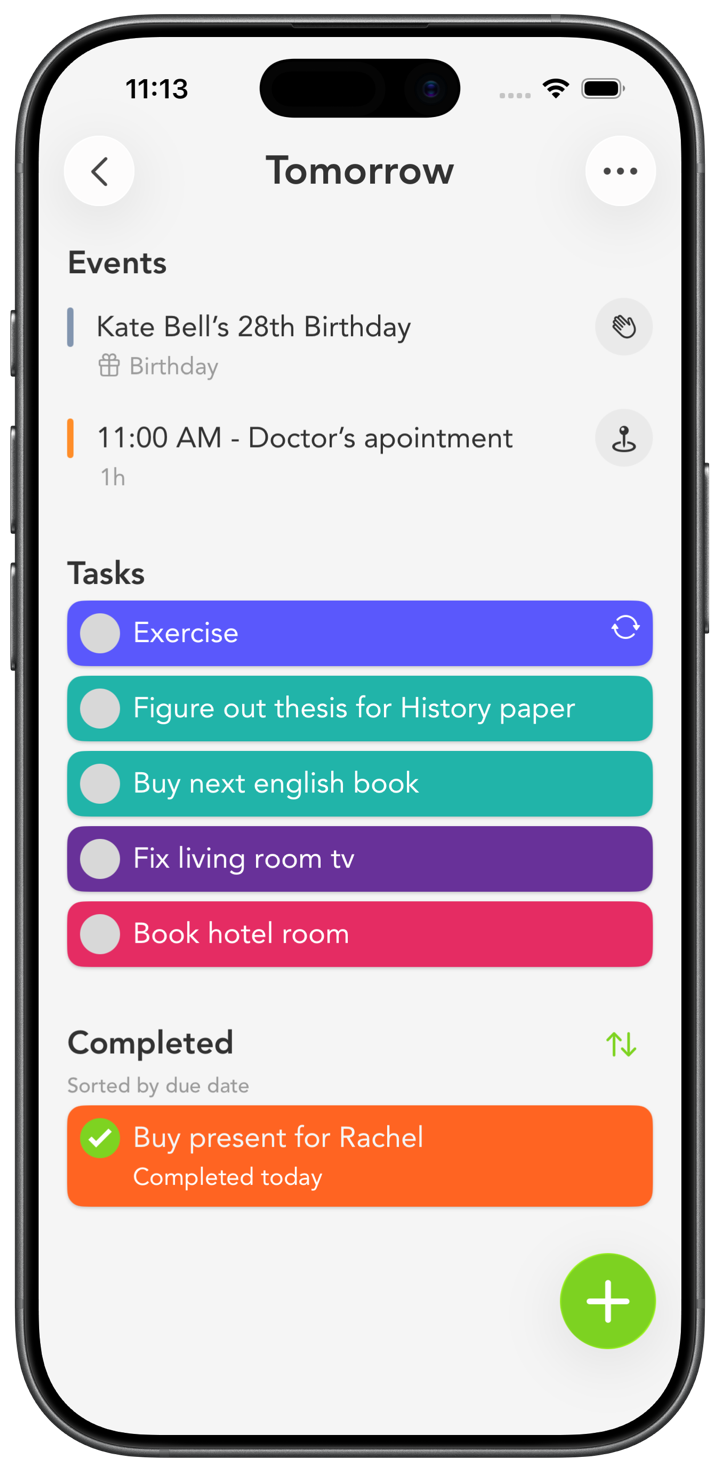
Stay on top of every class.

Assignments, readings, exams, deadlines. All color-coded and laid out by the week, so the semester stops sneaking up on you.

Smart Tasks is a simple, color-coded planner that helps students organize assignments, track deadlines, and build study habits. It's recommended by Columbia University and the University of New Hampshire as a tool for students. Give each class a color, add deadlines with reminders, see the week ahead in Next 7 Days, and keep it in sync across iPhone, iPad, Mac, and Apple Watch. Free to download, rated 4.7 stars from 4,400+ ratings.

Download Free

Trusted by university study centers

Smart Tasks is listed as a productivity and time-management tool for students by:

Columbia University
Study tools & resources →
University of New Hampshire
Time-management resources →
A semester that runs itself

How to set up Smart Tasks for school

The first week of a term is the best time to get organized, and it takes about ten minutes.

1. One color per class

Make a colored category for each course. Blue for Biology, orange for History, green for Calculus. Now your list reads in a glance, and everything due for one class jumps out at once.

2. Turn the syllabus into tasks

Go through each syllabus once and add every assignment, paper, and exam on its due date. Doing this up front means deadlines never ambush you in week eight. They're already there waiting.

3. Add reminders that warn you early

Set a reminder a few days before each due date, not the morning of. You can add more than one reminder to a task, so an early heads-up and a final nudge both have your back.

4. Use routines for weekly work

Readings, problem sets, and study blocks that come back every week can be routines. They show up on their own, so you're not rebuilding your list every Sunday.

5. Check the week, work the day

Use Next 7 Days to see what's coming, then just work today's short list. Put a widget on your home screen so the next deadline is always in view. With iCloud sync, you can plan on your Mac and check it on your phone between classes.

Studying with a busy brain? Our ADHD guide uses the same color-and-chunk approach for staying focused. Want the weekly method in more depth? See how to plan your week.

Students and Smart Tasks, answered

Yes. Smart Tasks is recommended by Columbia University and the University of New Hampshire as a productivity tool for students. The simple screen, color-coded categories, reminders, routines, and widgets make it easy to organize assignments, track deadlines, and build study habits without a learning curve. It's free to download and rated 4.7 stars from over 4,400 App Store ratings.

Give each class its own colored category, then add the assignments and exams from the syllabus as tasks with due-date reminders. Use the Next 7 Days screen to see the week ahead, routines for weekly readings, and notes on a task for the details. A home-screen widget keeps the next deadline in view.

Yes. Smart Tasks is a native app on iPhone, iPad, Mac, and Apple Watch, and iCloud sync keeps them all up to date. Plan on your Mac, check the next task on your iPhone or Apple Watch, and it stays in sync.

Yes. Smart Tasks is free to download and use with core features. An optional Smart Tasks+ subscription adds iCloud sync, reminders, routines, and notes across all your Apple devices on the same Apple ID.

Start the term organized.

Download Smart Tasks free and get every class in one place.

Download on the App Store
Make it yours

Pick a color. Paint the page.

The same hand-picked colors you'll find inside the app. Tap one to recolor everything.

Tap any color to recolor the page