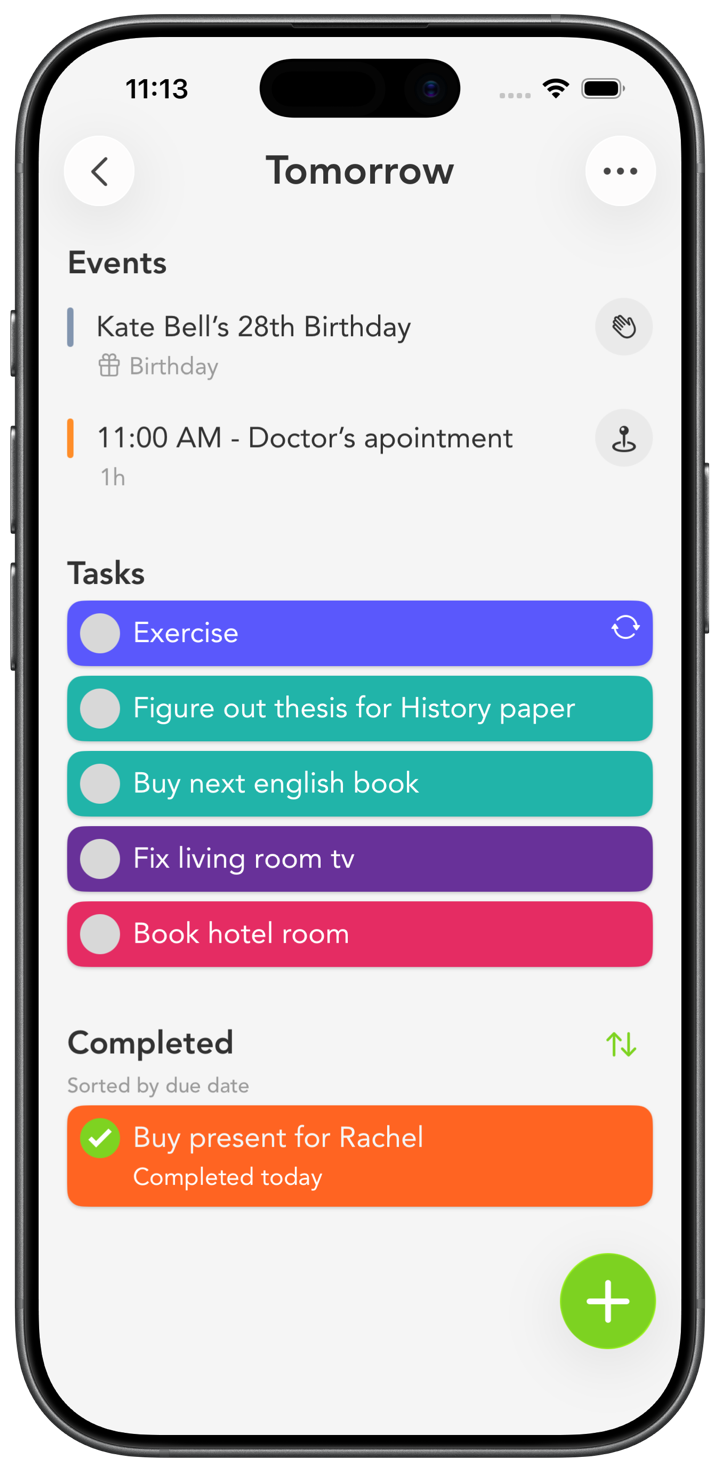
How to set up Smart Tasks for school
The first week of a term is the best time to get organized, and it takes about ten minutes.
1. One color per class
Make a colored category for each course. Blue for Biology, orange for History, green for Calculus. Now your list reads in a glance, and everything due for one class jumps out at once.
2. Turn the syllabus into tasks
Go through each syllabus once and add every assignment, paper, and exam on its due date. Doing this up front means deadlines never ambush you in week eight. They're already there waiting.
3. Add reminders that warn you early
Set a reminder a few days before each due date, not the morning of. You can add more than one reminder to a task, so an early heads-up and a final nudge both have your back.
4. Use routines for weekly work
Readings, problem sets, and study blocks that come back every week can be routines. They show up on their own, so you're not rebuilding your list every Sunday.
5. Bring your class schedule in
Turn on calendar events and your lectures sit right next to your assignments, including Google or Outlook calendars connected through Apple Calendar. Tapping an event can open its link in the app or its location in Maps, handy when week one means finding rooms you've never seen.
6. Check the week, work the day
Use Next 7 Days to see what's coming, then just work today's short list. Put a widget on your home screen so the next deadline is always in view. With iCloud sync, you can plan on your Mac and check it on your phone between classes. And at night, completed tasks can stay visible within the day, so you end on what you finished instead of what's left.